
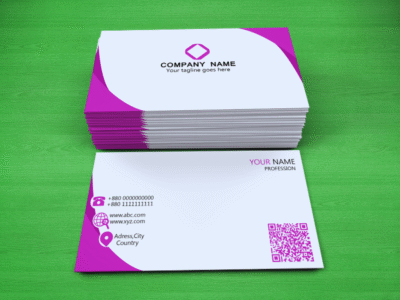
A business card, whether printed or digital, can do so much more than just list your contact details. When it includes a QR code, it becomes a smart, interactive tool that allows people to connect with you instantly.
By scanning the QR code, recipients are taken directly to your digital contact information, including your name, phone number, email, address, website, social media links, or even a customised landing page or campaign.
Two Simple Ways to Use a QR Code with Business Cards
- Add a QR code to a printed or digital business card. This lets recipients scan your card and instantly access and save your contact details on their smartphone – no typing required.
- Share your QR code directly. You can distribute your contact QR code via email, social media, flyers, or other marketing materials – no physical card needed.
Why Add a QR Code to Your Business Card?
1. Streamline Contact Sharing
Traditional business cards require the recipient to manually enter your details into their phone. This extra step often leads to delays, or worse, your card being forgotten altogether.
With a QR code, they simply scan and save. It’s fast, efficient, and hassle-free.
2. Make a Professional Impression
A QR-enabled card shows that you’re forward-thinking and tech-savvy. It also reduces errors – no more mistyped email addresses or forgotten phone numbers.
3. Bridge Offline and Online Worlds
QR codes give your business card more functionality, connecting offline interactions (like handing someone your card at an event) with online content such as portfolios, appointment links, or social profiles.
In short, QR codes turn traditional business cards into smart networking tools – helping you connect, share, and stay memorable with just one scan.
 What are QR codes?