
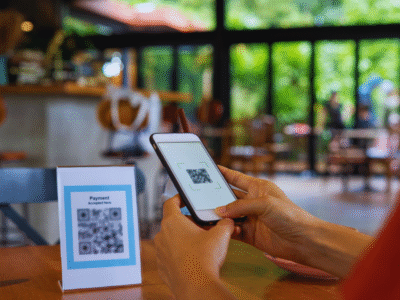
Originally developed to streamline tracking in manufacturing, QR codes are still widely used to trace products and manage inventory through supply chains. But their purpose has expanded far beyond factory floors.
Today, you’ve probably scanned a QR code to:
- View a restaurant menu
- Link to a social media profile
- Add a friend to an app or messaging platform
- Board a flight
- Download an app
- Make or receive payments
- Connect to Wi-Fi
- Verify your login credentials
QR codes are now an everyday tool for connecting the physical and digital worlds — offering convenience, speed, and versatility across nearly every industry.
Smarter, Safer, and More Secure
The company behind the original QR code, Denso Wave, has continued to innovate. Modern QR codes now include advanced features such as:
- Brand protection
- Anti-forgery measures
- Traceability tools
These updates ensure QR codes remain reliable and secure as they become increasingly common in marketing, logistics, authentication, and more.
What Makes Up a QR Code?
Understanding the Anatomy of a QR Code
At a glance, a QR code might look like a jumbled crossword puzzle — but every part of it plays a role in how it functions. Here’s a breakdown of the essential elements:
- Position Detection Markers The three large squares in the corners help scanners quickly recognise and align the code, no matter the orientation.
- Alignment Markers Smaller squares that correct distortion, especially useful when a QR code is placed on a curved surface. Their size increases as more data is added.
- Timing Pattern A series of alternating black and white modules that define the grid layout and help the scanner calculate the size of the data matrix.
- Version Information QR codes come in 40 versions, each able to store more data than the last. The version number determines the overall complexity and layout.
- Format Information This part stores error correction level and masking pattern information — both of which ensure the code remains readable in less-than-ideal conditions.
- Data and Error Correction Keys The heart of the QR code. This is where the actual information is stored, along with error correction blocks that allow the code to be scanned even if up to 30% of it is damaged.
- Quiet Zone A clear white border around the code that helps scanners identify the boundaries. Without it, the QR code can’t be properly read.
In short: QR codes may look simple, but their structure is surprisingly sophisticated — and it’s this smart design that makes them such a powerful tool for modern life.
 Smart Networking with QR Codes